Sprixe Neo Studio — build your own Neo Geo game
From blank project to a real ROM. In a browser tab.
Draw the sprites. Paint the levels. Wire the events. Hit build, and a real Neo Geo ROM comes out — then play it without leaving the page.
.neo & MAME exportFrom blank page to real hardware
Every step lives in the same tab. Nothing to install, nothing to chain by hand, no export/import dance between five command-line tools.
Draw
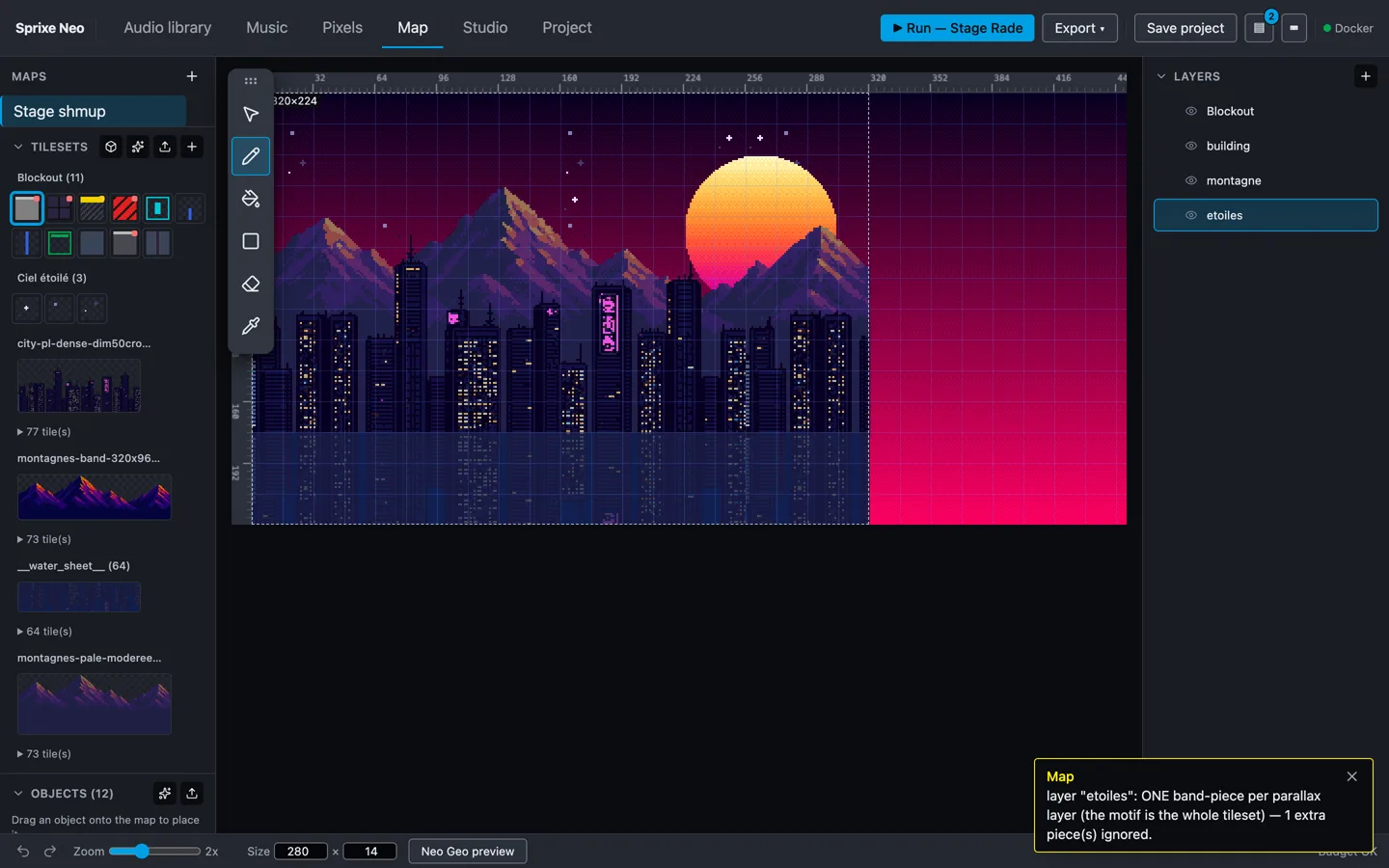
Sprites, animations, tilesets, maps. The sprite editor works in native Neo Geo palettes, so what you see is what the hardware will show — not an approximation you discover at compile time. Import from Aseprite, export back to it.
Assemble
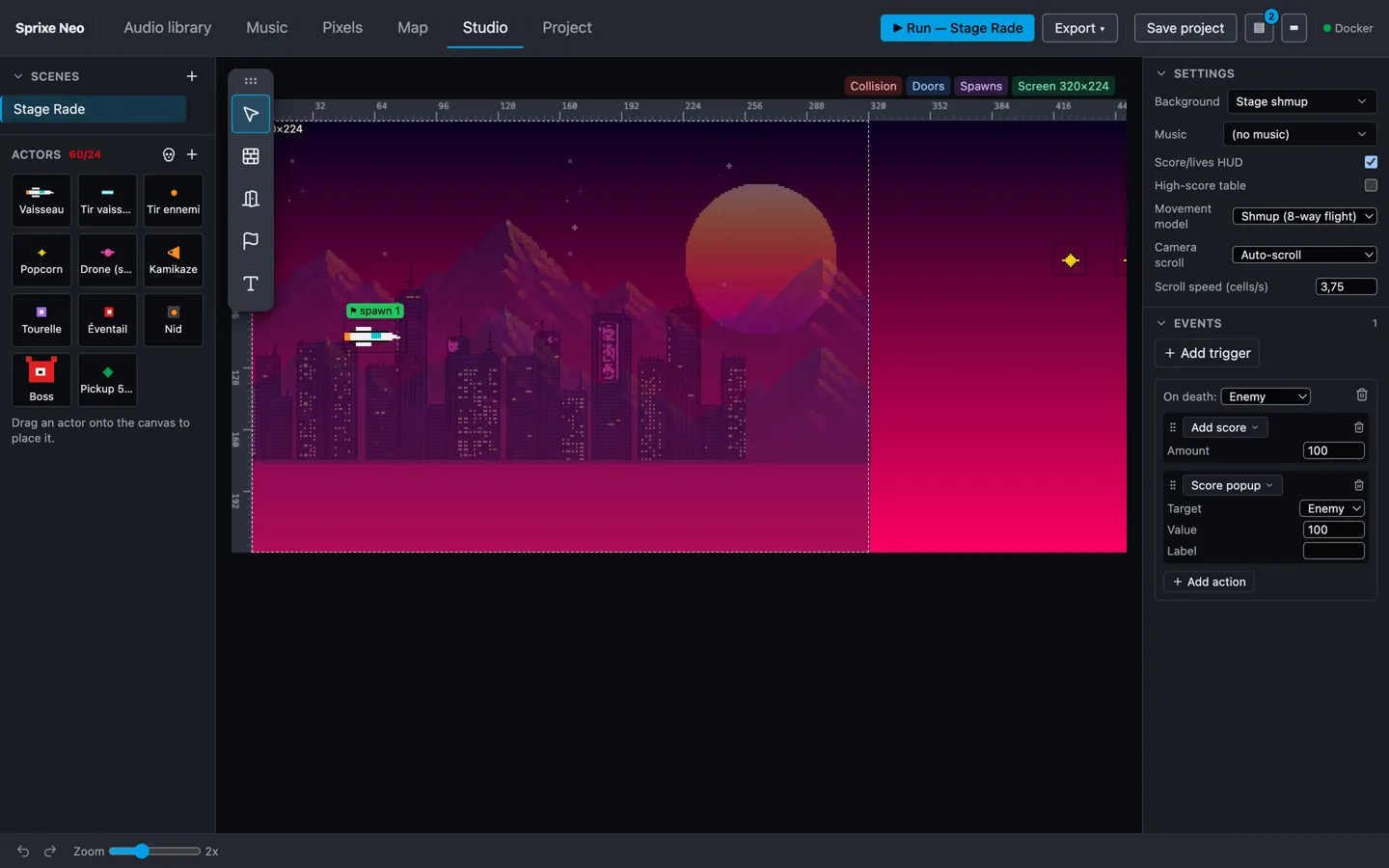
Reusable actors: give one a set of animations and a behaviour, then drop it anywhere. Levels span several scenes wired together with exits, spawns and checkpoints. Triggers connect the two — when this happens, do that.
Compile
One action. Your project becomes C, the C becomes a 68000 binary, your sprites become C-ROM, your samples become V-ROM, your palettes become palettes. Out comes a ROM.
Play, then ship
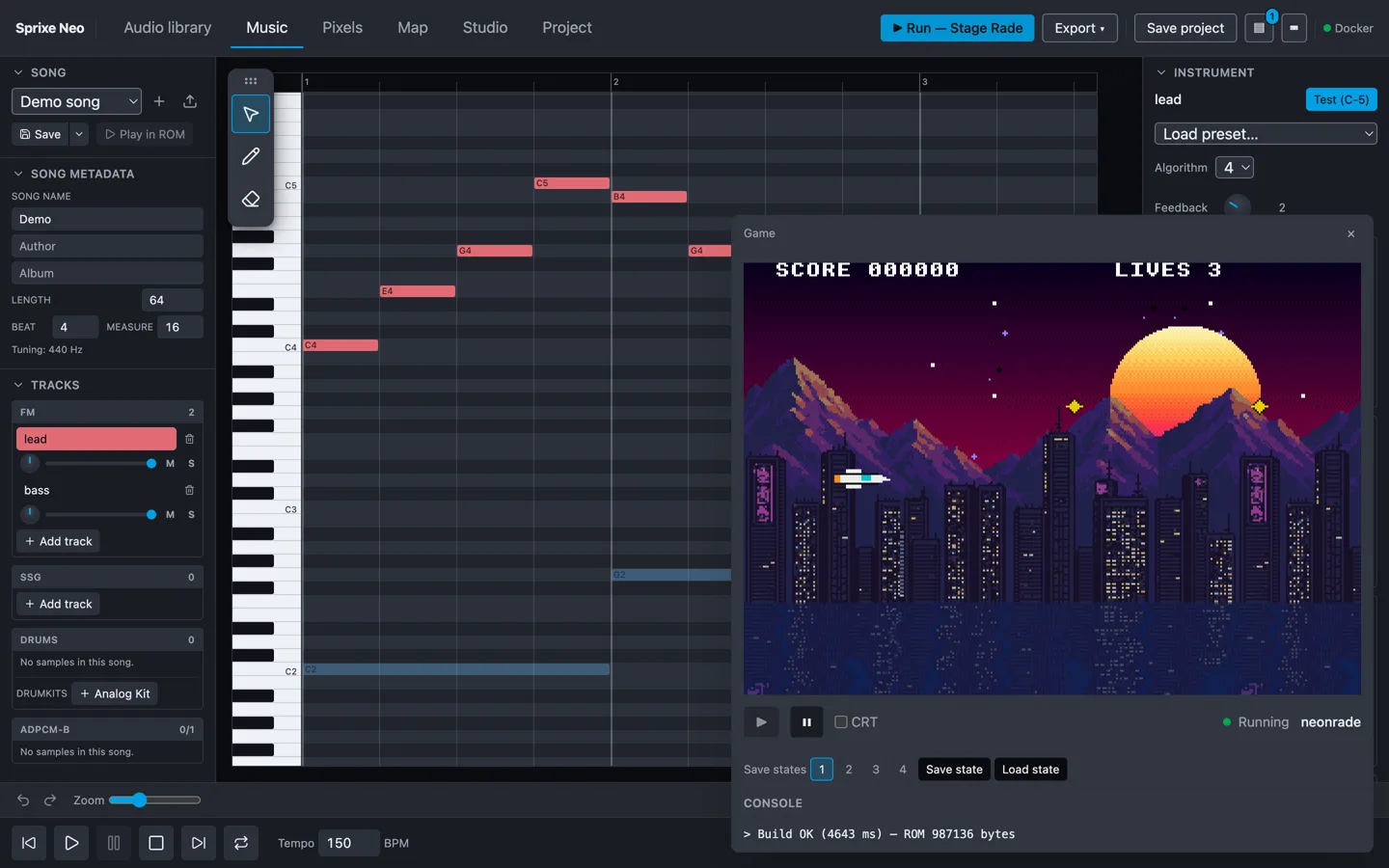
The built ROM boots in the integrated emulator, in the same window you just edited it in. Rebuild and it reloads live; save states let you jump back to the fight you're tuning instead of replaying the level. When it's done, export a .neo — the NeoSD flashcart format — or a MAME romset.
Rules on an event sheet. Real C underneath.
Most retro toolchains make you pick a camp: a visual maker that hides the machine, or a devkit that hands you a compiler and wishes you luck.
Scenes, actors, triggers
Place your hero, give it a set of animations, then wire the rules on an event sheet: on this input, do that; on this timer, spawn that; when this animation ends, fire the next one. Levels span several scenes joined by exits, spawns and checkpoints.
It emits ngdevkit C, not a black box
What the event sheet produces is the C you’d have written yourself against the ngdevkit headers — the same code a hand-written homebrew would compile. There is also a Monaco editor in there, with those headers, for people who’d rather write the C directly.
Art you can't draw? Generate it.
Neo Studio talks to PixelLab, a pixel-art generation service. Describe an object — a barrel, a vending machine, a neon sign — pick the angle it should be drawn from, and it lands in your Objects panel. Describe a terrain and you get a whole tileset back, side-view or top-down, corner-classified so the map editor paints it as a self-connecting terrain rather than tile by tile. Characters you've already made in PixelLab come in whole: their animations map onto an actor's roles, directions included.
Generated art isn't a separate class of asset. It goes through the exact same import path as your own pixels — quantized to a Neo Geo 16-color palette, pen 0 transparent, packed into C-ROM — so you can open it in the sprite editor and paint over it like anything else.
PixelLab is a separate service with its own account. You bring your own API key: it's stored in your browser and sent only to PixelLab, so the account and what it costs stay yours. Everything else in Neo Studio works without one.
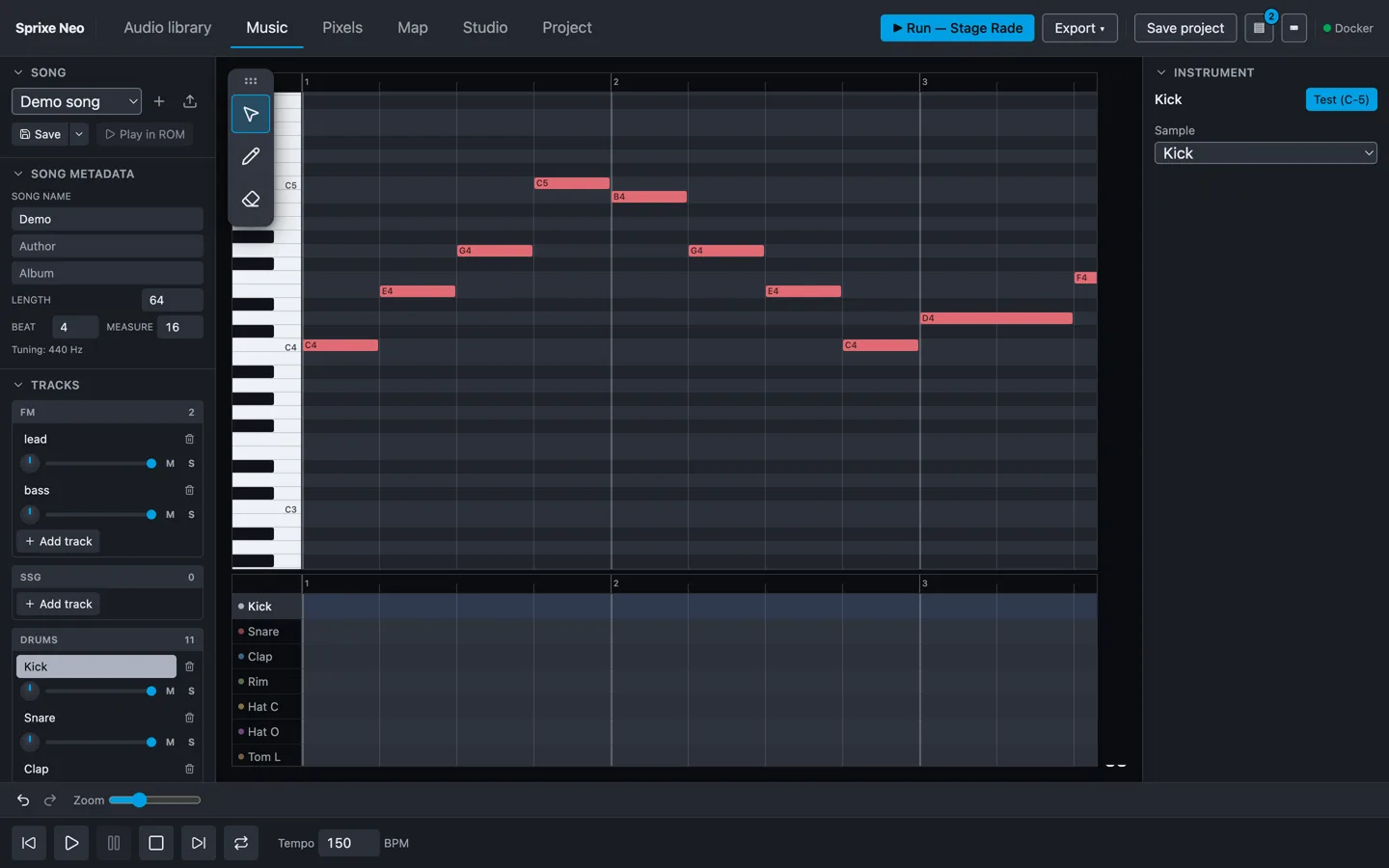
A whole music editor. Driving the real chip.
Neo Studio composes on the YM2610 itself — what you hear while you write is the chip that will play it, not a soft-synth approximation you discover at compile time.
A piano roll, not a tracker grid.
The full 88 keys, a Play/Stop transport, a playhead that follows the song, a stereo peak meter beside the grid. Drag a note and you hear the new pitch as you drag.
One track, one instrument.
Tracks are grouped by voice family — FM, SSG, drums, ADPCM-B — and each one owns its instrument. Load an FM preset from the bundled General MIDI bank, then shape it live in the patch editor: on a YM2610 the envelope is the timbre.
Drums on the same time axis.
A drum strip stays pinned under the piano roll, sharing its columns — melody and beat get written together. A built-in analog drum kit drops in with one click; at build time your drum tracks fold onto the chip's six real ADPCM-A voices.
Or bring what you already have.
Import a Furnace .fur song or a Standard MIDI file — tracks become playable lanes, GM percussion mapped onto the kit. Hand it a WAV or an MP3 and it's encoded to ADPCM-B and looped by the hardware itself: a streamed soundtrack in a real Neo Geo ROM, within what the cartridge's sample budget can hold. WAV sound effects are normalised to mono 18519 Hz and encoded to ADPCM-A at build time.
No second toolchain. No converter to install, no CLI to chain.
The emulator
The emulator running your game isn't a library wrapped in a UI — it's a Neo Geo written in TypeScript and WebAssembly — CPUs, video and buses implemented from the datasheets. It's the second one we've written: the first, Sprixe CPS1 Lab, is a full Capcom CPS1 system in the browser — 68000 and Z80 interpreters, a cycle-accurate YM2151, a WebGL2 renderer, running the arcade classics at around 22% CPU.
If a tool is going to tell you what the hardware does, it had better know.
Questions people actually ask
Do I need to own a Neo Geo?
No. Everything — editing, building, playing — happens in the browser, and the built ROM boots in an emulator on the page. A NeoSD flashcart and an AES or MVS board only matter the day you want the game on the real machine.
Do I need to know how to code?
No. You place actors and wire the rules on an event sheet: on this input do that, on this timer spawn that, when this animation ends fire the next one. What the event sheet produces is C against the ngdevkit headers, which you never have to write — though the build console will show you the compiler’s output when something fails to compile.
Is it free?
Yes, and there is no sign-up. The one thing that costs money is optional: generating art through PixelLab uses your own account and your own API key.
Does the ROM run on real hardware?
That is the point of it. Export a .neo for a NeoSD flashcart, or a MAME
romset for emulators. The two containers explained.
How is this different from ngdevkit?
It is built on ngdevkit rather than beside it. ngdevkit is the open-source SDK — a 68000 compiler, hardware headers, a sound driver. Neo Studio is an editor that emits code for it and a build server that runs it. More on ngdevkit.
Can I bring my own pixel art?
Yes. Import from Aseprite, and export back to it. Art is quantised to a Neo Geo 16-colour palette with pen 0 transparent on the way in — why fifteen colours, not sixteen.
The beta is open.
No sign-up, no invite, nothing to install. Open a project and build.
And the same hardware obsession, on the modding side — play, inspect and mod CPS1 classics in the Lab.